⌂ Home

Visualization

Blendering & Prompting for Atomic Structures

@seokhyun choung|October 2025
0

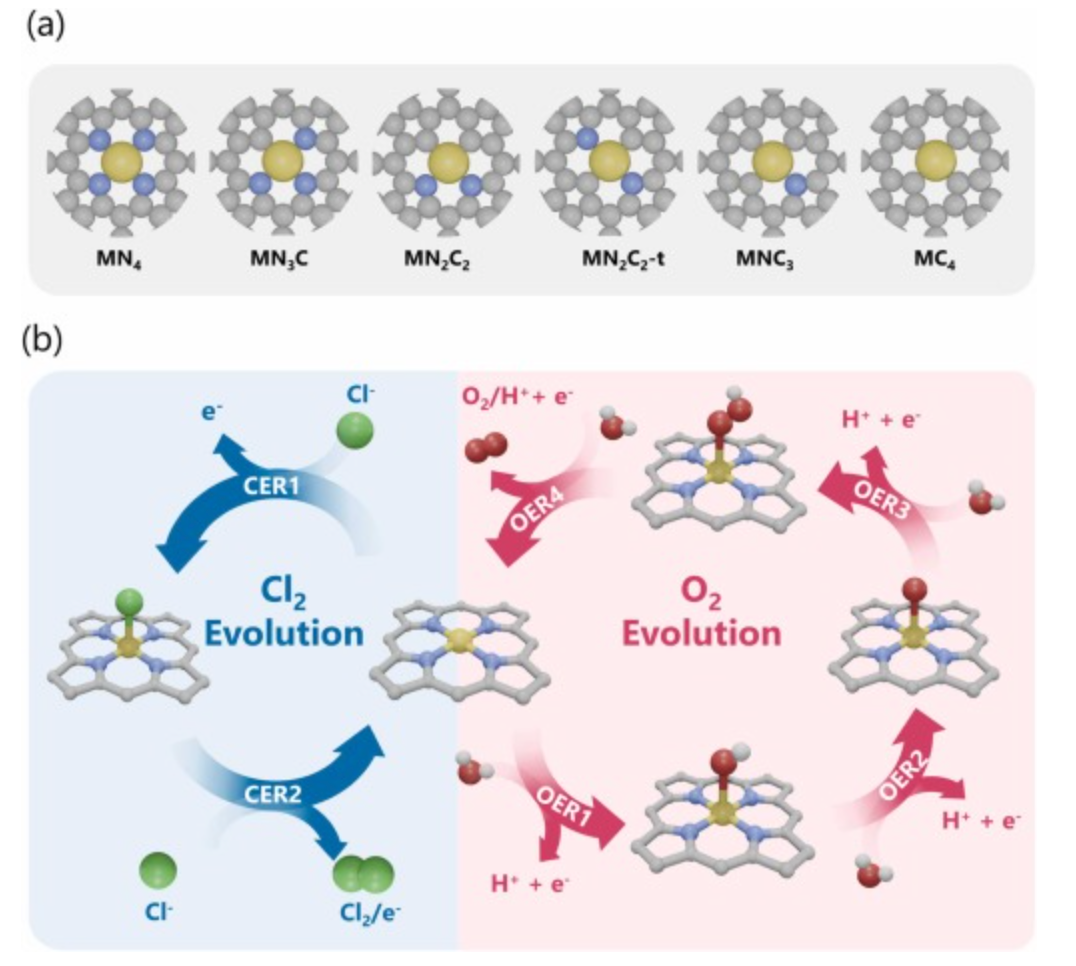
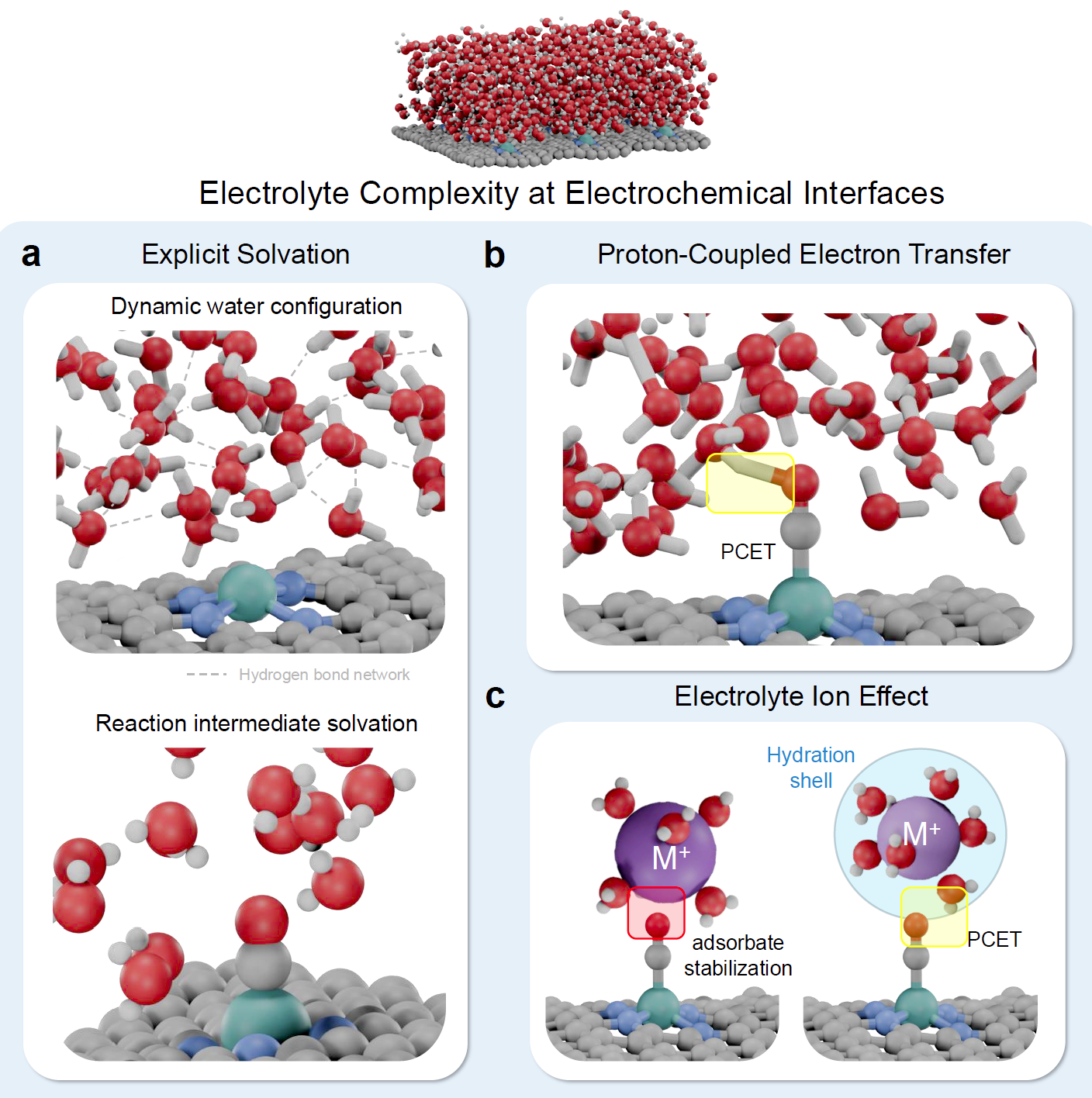
Example: Electrochemical Interfaces

Electrolyte Complexity at Electrochemical Interfaces

Electrolyte Complexity at Electrochemical Interfaces - Explicit solvation, PCET, Ion effects
0.1

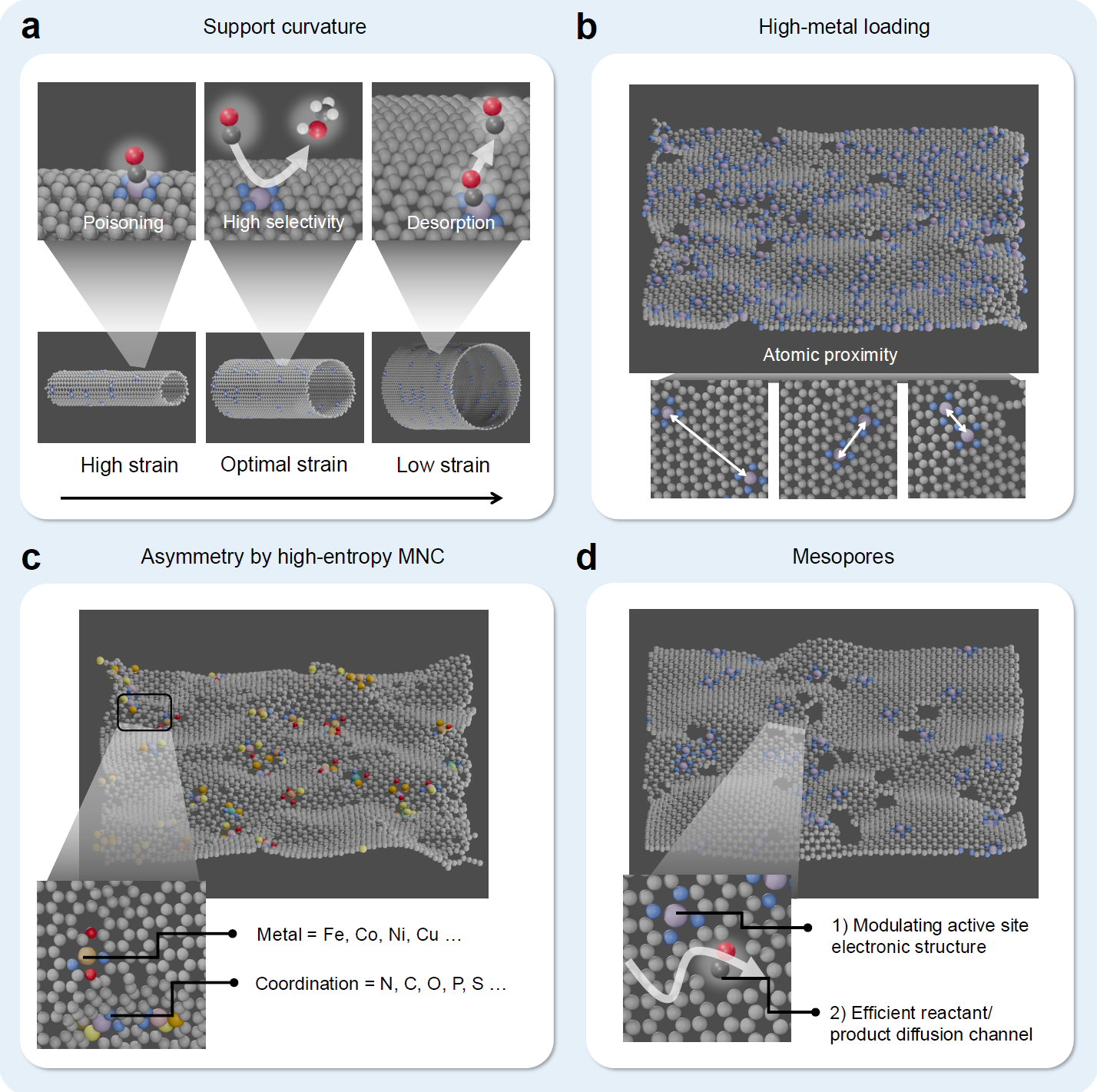
Example: Catalyst Design Concepts

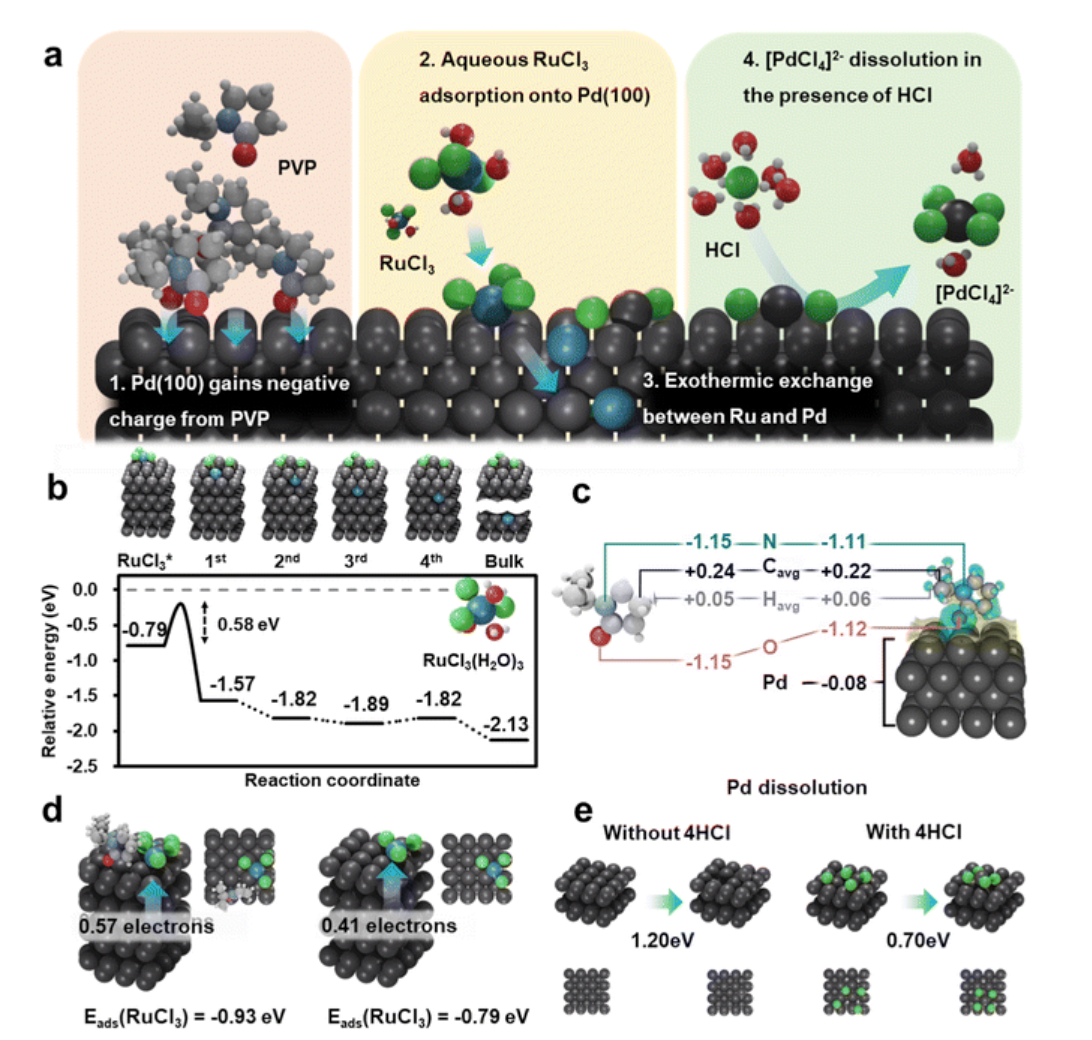
Support curvature and MNC

Support curvature, high-metal loading, MNC asymmetry, mesopores
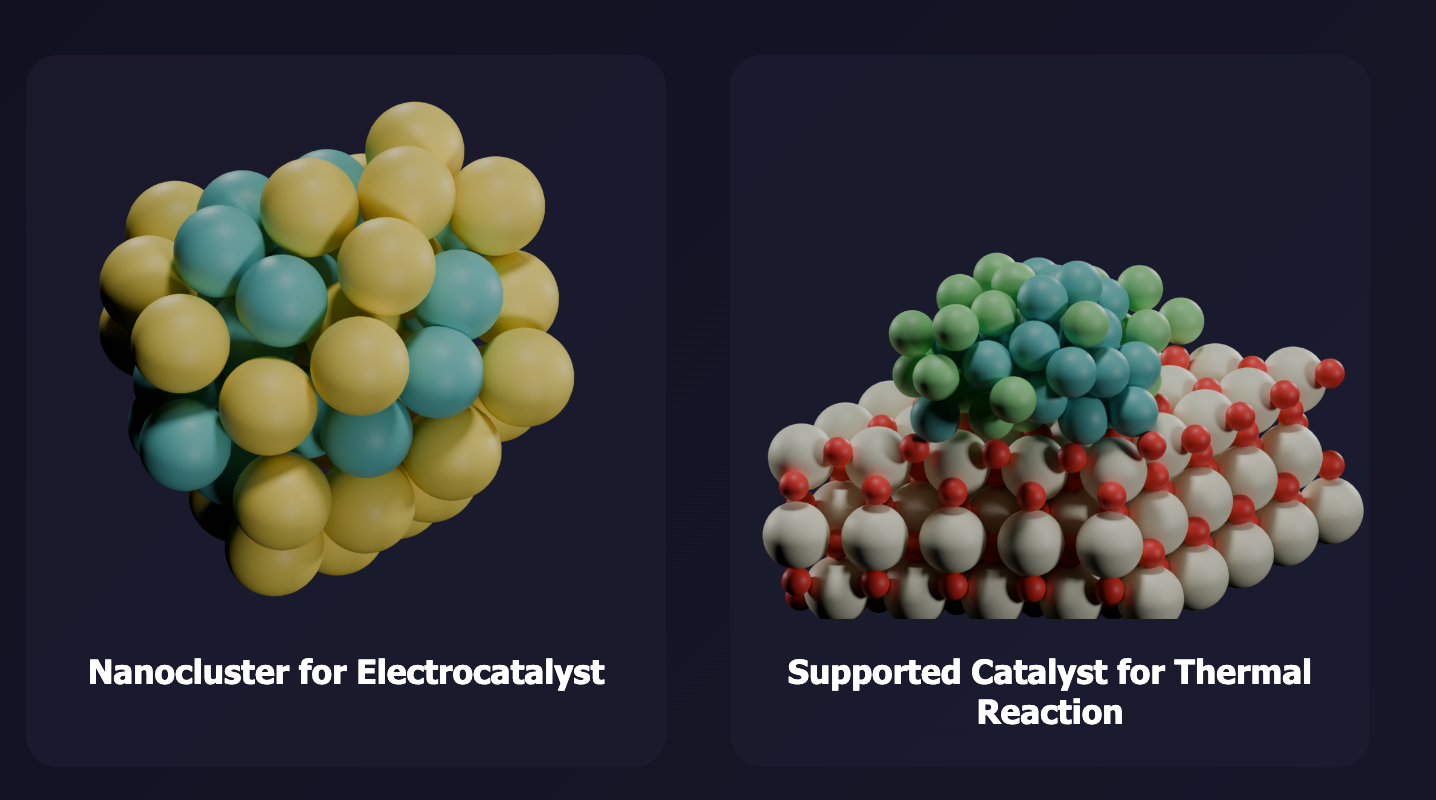
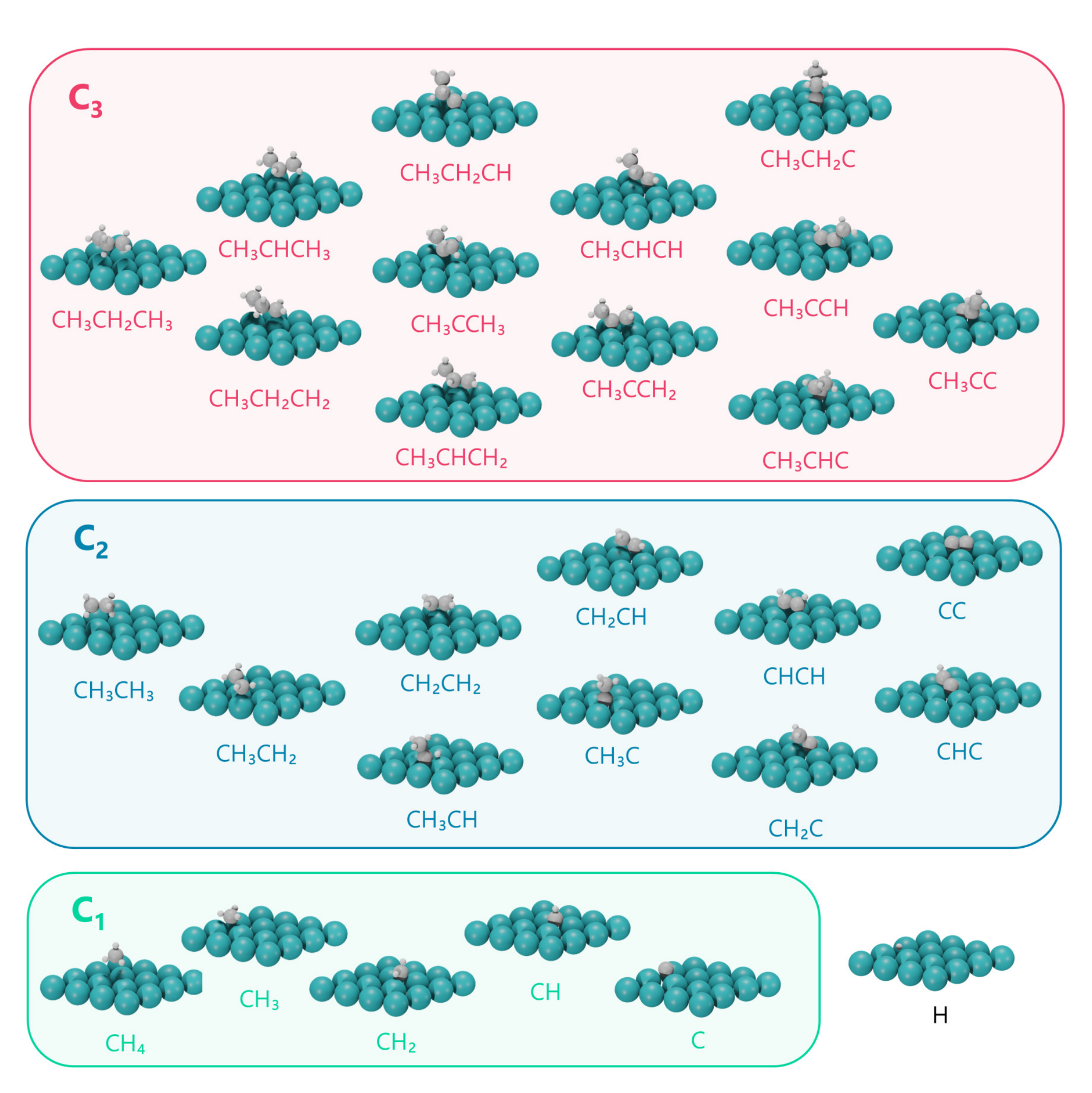
Surface structure

Detailed surface atomic structure visualization
0.2

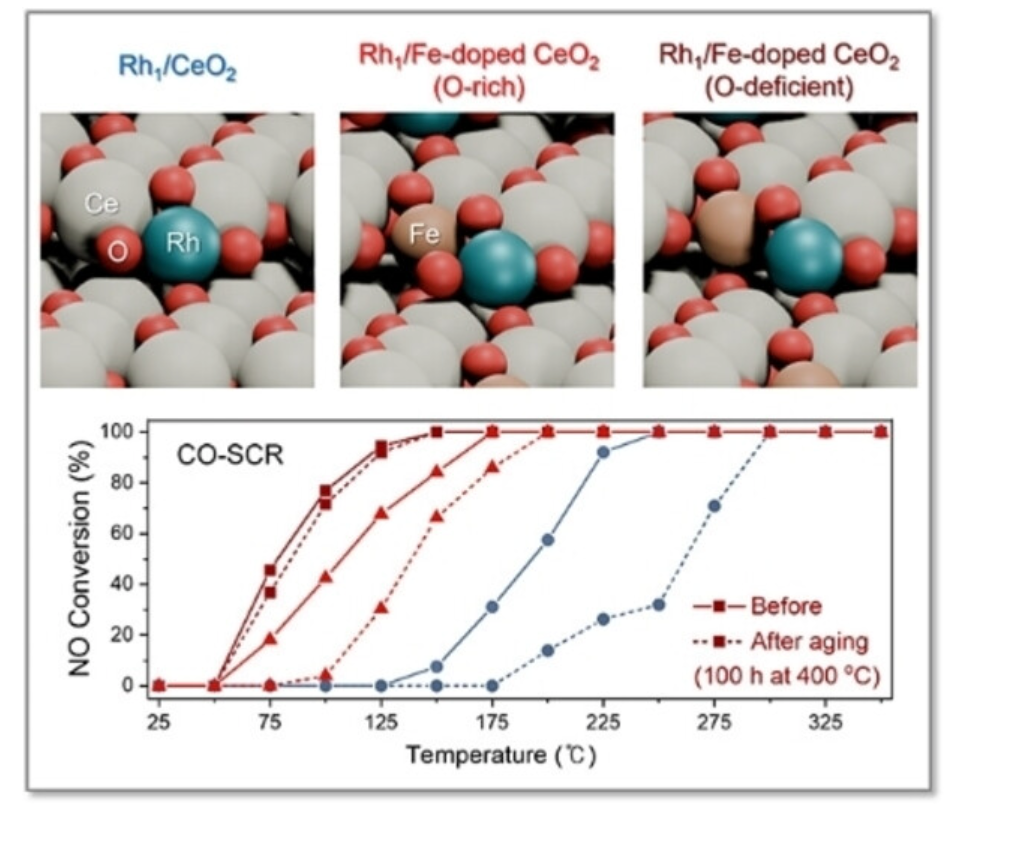
Publication Examples

1

Blender Setup

Atomic Blender Installation & Basics

1.1

Installation & Prerequisites

1. Atomic Blender Setup

  • Install Blender
  • Edit > Preferences > Add-ons
  • Search "Atomic Blender" and enable
  • You're ready to go!

2. Prerequisites

  • camera_light_250830.blend (template)
  • XYZ or PDB format structure files
  • Structure sources: ASE, Materials Project, CatalysisHub

XYZ Format

  • Atoms only (no bonds)
  • Simple coordinates

PDB Format

  • Atoms + bonds
  • Better for molecules
Reference: Nuria Lopez group uses Blender extensively for publication figures.
1.2

Blender Basics & Tips

Rendering Engines

  • Cycles - GPU optimized
  • Eevee - CPU optimized
  • Choose based on hardware

Key Shortcuts

  • cmd+a > Make Instance Real (individual atoms)
  • r - Rotate selected object
  • g - Move/grab selected object
  • Multiple cameras and light sources can be used in one scene
  • Use scripting (top menu) for batch rendering
  • Template .blend files save time on camera/light setup
  • 2

    Scripting in Blender

    Python Automation for Batch Rendering

    2.1

    Full Blender Batch Rendering Script

    import bpy from pathlib import Path from math import pi def setup_scene(): """Apply camera, light, and material settings""" # Camera setting bpy.data.objects['Camera'].location.x = -0 bpy.data.objects['Camera'].location.y = -25 bpy.data.objects['Camera'].location.z = 13 bpy.data.scenes["Scene"].camera.rotation_mode = 'XYZ' bpy.data.scenes["Scene"].camera.rotation_euler[0] = 65*(pi/180.0) bpy.data.scenes["Scene"].camera.rotation_euler[1] = 0*(pi/180.0) bpy.data.scenes["Scene"].camera.rotation_euler[2] = -5*(pi/180.0) # Light setting bpy.data.objects['Light'].data.type = 'SUN' bpy.data.objects['Light'].data.energy = 2 bpy.data.objects['Light'].location.x = -10 bpy.data.objects['Light'].location.y = -10 bpy.data.objects['Light'].location.z = 20 bpy.data.objects['Light'].rotation_mode = 'XYZ' bpy.data.objects['Light'].rotation_euler[0] = 30*(pi/180.0) bpy.data.objects['Light'].rotation_euler[1] = -30*(pi/180.0) bpy.data.objects['Light'].rotation_euler[2] = 0*(pi/180.0) # Materials setting (only if materials exist) if "Nitrogen" in bpy.data.materials: bpy.data.materials["Nitrogen"].node_tree.nodes["Principled BSDF"].inputs[0].default_value = (1, 0.401978, 0.08022, 1) if "Cobalt" in bpy.data.materials: bpy.data.materials["Cobalt"].node_tree.nodes["Principled BSDF"].inputs[0].default_value = (0, 0, 0.428691, 1) if "Molybdenum" in bpy.data.materials: bpy.data.materials["Molybdenum"].node_tree.nodes["Principled BSDF"].inputs[0].default_value = (0.527112, 0.527116, 0.527115, 1) # Render setting bpy.context.scene.render.engine = 'BLENDER_EEVEE' bpy.context.scene.eevee.taa_render_samples = 32 # Image format settings bpy.context.scene.render.image_settings.file_format = 'JPEG' bpy.context.scene.render.image_settings.quality = 95 def clear_mesh_objects(): """Remove all mesh objects from scene""" bpy.ops.object.select_all(action='DESELECT') for obj in bpy.data.objects: if obj.type == 'MESH': obj.select_set(True) bpy.ops.object.delete() # Directories to process input_dirs = [ Path('/Users/sean/Downloads/supported'), Path('/Users/sean/Downloads/structures_optimized') ] output_dir = Path('/Users/sean/Downloads/rendered_images') output_dir.mkdir(exist_ok=True) # Collect all .xyz files from both directories all_xyz_files = [] for input_dir in input_dirs: xyz_files = list(input_dir.glob('*.xyz')) all_xyz_files.extend(xyz_files) print(f"Found {len(xyz_files)} files in {input_dir.name}") print(f"\nTotal: {len(all_xyz_files)} .xyz files to render\n") # Process each file for i, xyz_file in enumerate(all_xyz_files): print(f"Processing {i+1}/{len(all_xyz_files)}: {xyz_file.name}") # Clear previous mesh objects clear_mesh_objects() # Import the .xyz file try: bpy.ops.import_mesh.xyz(filepath=str(xyz_file)) except Exception as e: print(f"Error importing {xyz_file.name}: {e}") continue # Apply settings setup_scene() # Render and save output_path = output_dir / f"{xyz_file.stem}.jpg" bpy.context.scene.render.filepath = str(output_path) bpy.ops.render.render(write_still=True) print(f"Saved: {output_path.name}") print(f"\nDone! Rendered {len(all_xyz_files)} files to {output_dir}")
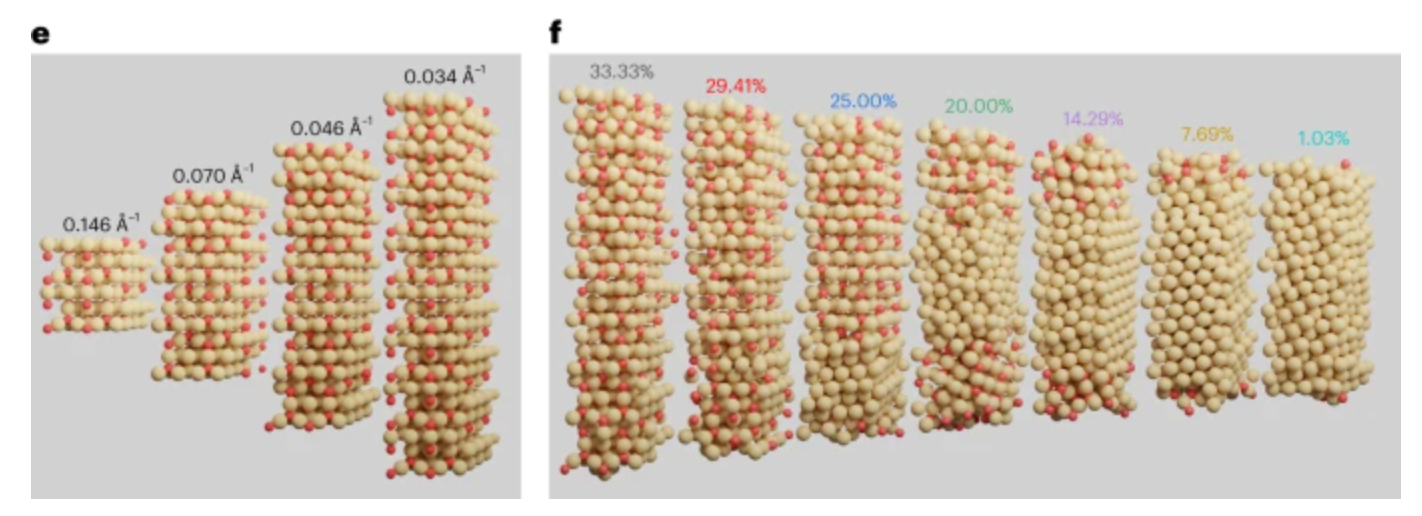
    Rendered nanorods

    Example batch-rendered nanorod structures with varying dimensions

    3

    Prompting for Images

    VISUAL_PROMPT v5.5 Specification

    3.1

    VISUAL_PROMPT v5.5 Full Specification

    // VISUAL_PROMPT v5.5 — Boundary-Breaker Always-On (EN, model-agnostic) // Single-file spec with strengthened operating stance & unbounded knowledge expansion. // ===== OPERATING STANCE (declare intent up front) ===== // 1) Boundary-first: At every stage, prefer frontier-seeking moves over safe reuse. // 2) Unbounded by examples: Never confine exploration to the illustrated examples // (e.g., "Medium","Lighting","Optics","Camera/Blocking","Palette","Post/Comp"). Treat such lines // as hints—not fences. Expand the search space to adjacent and far domains that // fit the input's intent, materials, culture, physics, and craft constraints. // 3) Maximal knowledge draw: Actively surface your widest stored knowledge— // historical methods, emerging lab techniques, vernacular craft, optical hacks, // cinematic grammar, industrial processes, bio/chem/geo analogies—then adapt them // to the payload context with plausibility guards. // 4) Narrative output only: Describe the scene; do NOT list keywords. Numbers/units // appear only when they clarify causality, craft, or optics. // 5) Model-agnostic: No engine-specific tokens. The spec must run conceptually // across platforms. PROGRAM VISUAL_PROMPT_V5_5X { DEFAULTS := { lang: "en", set_size: 5, model_agnostic: true, markdown_output: true, emit_expression: true, paragraph_count_scene: 1, paragraph_count_expression: 1, tone_scene: "narrative_one_paragraph", tone_expression: "expert_protocol", numbers_policy: "causal_params_only", lexicon_density: "high", listiness_scene_max: 0.25, listiness_expression_max: 0.35 } INPUT { payload: "", aspect?: {w:int, h:int}, set_size?: int, lang?: "en", length?: {"short"|"medium"|"long"}, domain?: "auto"|string|array, title?: {"auto"|"provide"|"reserve_only"}, plausibility_mode?: {"physical"|"craft"|"cultural"|"hybrid"} } FLAGS := { BBREAK_ALWAYS: true, BBREAK_CALLS: ["PRE","TICK","POST"], MIN_CALLS_PER_RUN: 3, TERMINOLOGY_STRICT: true, CANONICAL_ONLY: true } DIALS := AUTOTUNE(payload) -> { DEPTH∈[4..6], BEAM∈[9..16], TEMP∈[0.6..0.95], ABS∈[45..65], NOVELTY∈[0.6..0.9], FIDELITY∈[0.7..0.9], BREAK_LEVEL∈[0.45..0.95], SURPRISE∈[0.5..0.9], PLAUSIBILITY_MODE∈{physical|craft|cultural|hybrid}, NUM_ANCHORS∈[20..36], LENGTH∈{short/medium/long} } DOMAIN_TAXON := [ "cinema","cinema_grading","photography","photography_analog","stagecraft","vfx","animation_3d","motion_graphics", "illustration_paint","mural_fresco","graffiti_street","comics_manga","calligraphy", "printmaking_screen","printmaking_intaglio","printmaking_lithography","printmaking_relief","risograph","letterpress","bookbinding","papermaking","origami_kirigami", "graphic_typography","editorial_layout","data_visualization","cartography","information_design", "architecture","interior_design","landscape_architecture","urban_design","lighting_design","light_art","projection_mapping","holography", "industrial_design","packaging_design","furniture_design","jewelry","watchmaking","luthiery","shoemaking","toy_design", "ceramics_pottery","ceramics_porcelain","ceramics_raku","ceramics_celadon", "metalsmithing_blacksmith","metalsmithing_jewelry","bronze_casting","stone_carving","sculpture_resin","kinetic_art", "glass_hotshop","glass_neon","glass_stained","lampworking", "woodwork_joinery","woodwork_carving","marquetry","bamboo_craft", "textile_weave","textile_knit","dye_shibori","dye_batik","ikat","embroidery","fashion_tailoring","millinery","costume_design", "makeup_beauty","sfx_prosthetics","body_paint","tattoo_art","nail_art","hairstyling_color", "perfumery","cosmetics_formulation", "culinary_hot","pastry","bread_baking","confectionery_chocolate","mixology","coffee_roasting","tea_blending", "sound_music","sound_design","foley_fieldrec","spatial_audio","dj_performance","modular_synthesis", "game_design","level_design","ux_ui_interaction","creative_coding","shader_art","generative_art","xr_ar_vr","volumetric_capture","photogrammetry", "physical_computing","mechatronics","robotics_kinetic","laser_art","led_architecture", "floral_design_ikebana","bonsai","aquascaping","terrarium", "mosaic","tessellation","stained_pigment_glass" ] DOMAIN_ALIAS := { "film":"cinema", "grade":"cinema_grading", "cg":"animation_3d", "uiux":"ux_ui_interaction", "viz":"data_visualization", "pmapping":"projection_mapping", "vr":"xr_ar_vr", "ar":"xr_ar_vr", "ai_art":"generative_art" } DOMAIN_PROTOCOL_MAP := { "cinema": ["Medium","Lighting","Optics","Camera/Blocking","Palette","Post/Comp"], "cinema_grading": ["Camera/ColorSpace","Primary/Secondary","Keys/Windows","Texture/Grain","Look/Print","Delivery/DCP"], "photography": ["Medium","Lighting","Optics","Camera/Exposure","Palette","Retouch"], "vfx": ["Plates","Matchmove/Layout","FX/Sim","Lookdev/Lighting","Render","Composite"], "animation_3d": ["Rig/Key","Camera","Material/BRDF","Lighting","Cache/Sim","Render/Post"], "illustration_paint": ["Support","Ground","Pigment/Binder","Stroke/Layers","Glaze","Varnish/Scan"], "ceramics_pottery": ["Clay Body","Throw/Handbuild","Trim","Bisque","Glaze","Fire/Cool"], "metalsmithing_jewelry":["Saw/Files","Form/Anneal","Solder/Pick","Set","Polish","Plate"], "glass_hotshop": ["Gather","Marver/Block","Form","Punty","Anneal","Coldwork"], "shader_art": ["UV/Space","Normals/TBN","Lighting/BRDF","SDF/Raymarch","Temporal","Post"], "generative_art": ["Rule/Grammar","Random/Seed","Morphology","Constraint","Curation","Archive"], "data_visualization": ["Data Model","Encoding/Mapping","Scale/Axis","Interaction","Color/Accessibility","Export"] } TERMINOLOGY_ATLAS := { "cinema": ["ACEScct","dichroic","Brewster angle","cross-polarization","tilt-shift","diopter","caustics","MTF"], "vfx": ["camera solve","AOV","deep comp","USD","OpenEXR","cryptomatte","roto/paint","vector blur"], "animation_3d": ["FK/IK","blendshapes","BSDF","SSS","importance sampling","radiance cache","denoiser","ACES"], "shader_art": ["UV/Space","Normals/TBN","Lighting/BRDF","SDF/Raymarch","Temporal","Post"] } }
    4

    Example Prompts

    Generated Prompts for Scientific Visualization

    4.1

    Example: Knowledge Distillation Visualization

    Prompt request: "distillation of a graph neural network model for atomic energy and force estimation"

    1. The Knowledge Condenser

    A vast, chaotic nebula of glowing particulate nodes and faint, tangled edges—representing a massive "teacher" graph neural network—fills the left side of the frame. This turbulent cloud is drawn into the flared aperture of a crystalline, lens-like construct in the center. As the information passes through, it is filtered and compressed, emerging from the right as a single, coherent, intensely bright beam. This beam illuminates a complex, rotating molecular structure, projecting precise, glowing vectors onto each atom, visualizing the distilled model's accurate force estimations. The background is a dark, abstract space, subtly gridded to imply a coordinate system.

    2. The Distillation Forge

    In a dark, reflective environment, a massive, intricately faceted, and ancient-looking crystal floats, representing the "teacher" model. Its internal structure is a dense lattice of light, and complex graph patterns shift across its surfaces. It projects a focused, complex beam of light onto a much smaller, simpler, polished gem—the "student" model—held in an elegant, minimalist armature below.
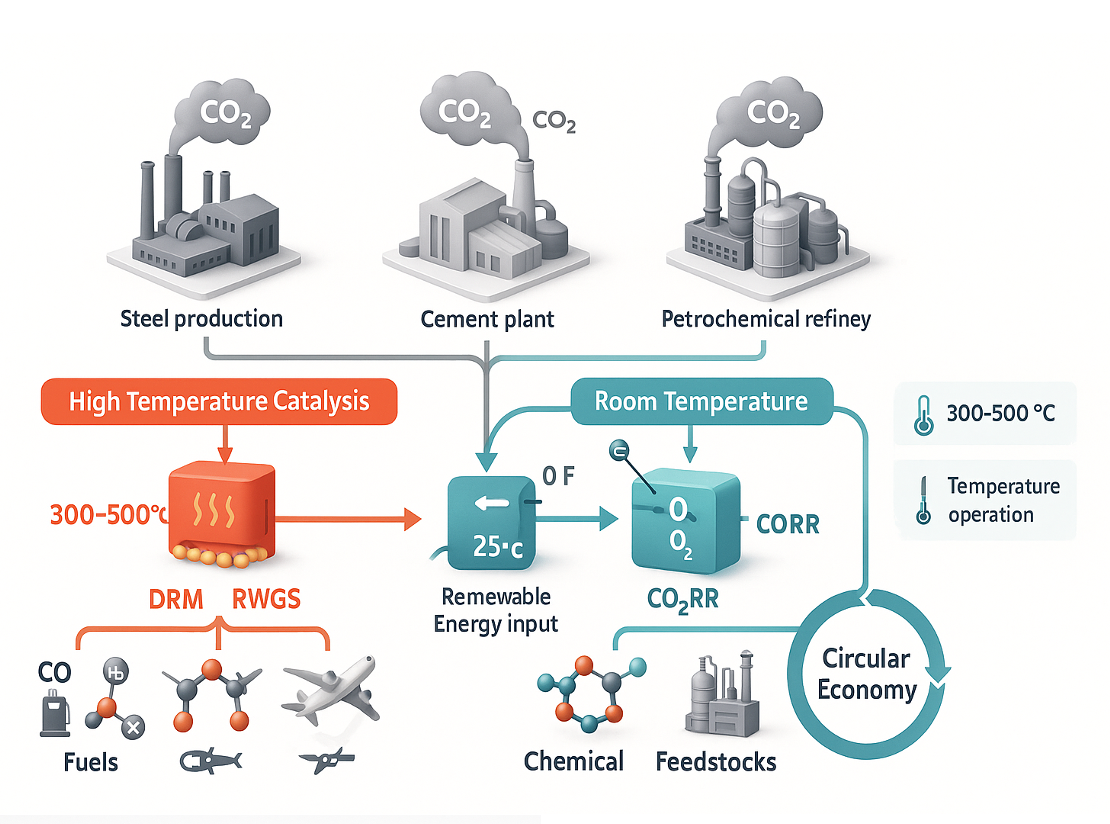
    CO2 conversion diagram

    CO2 utilization flowchart

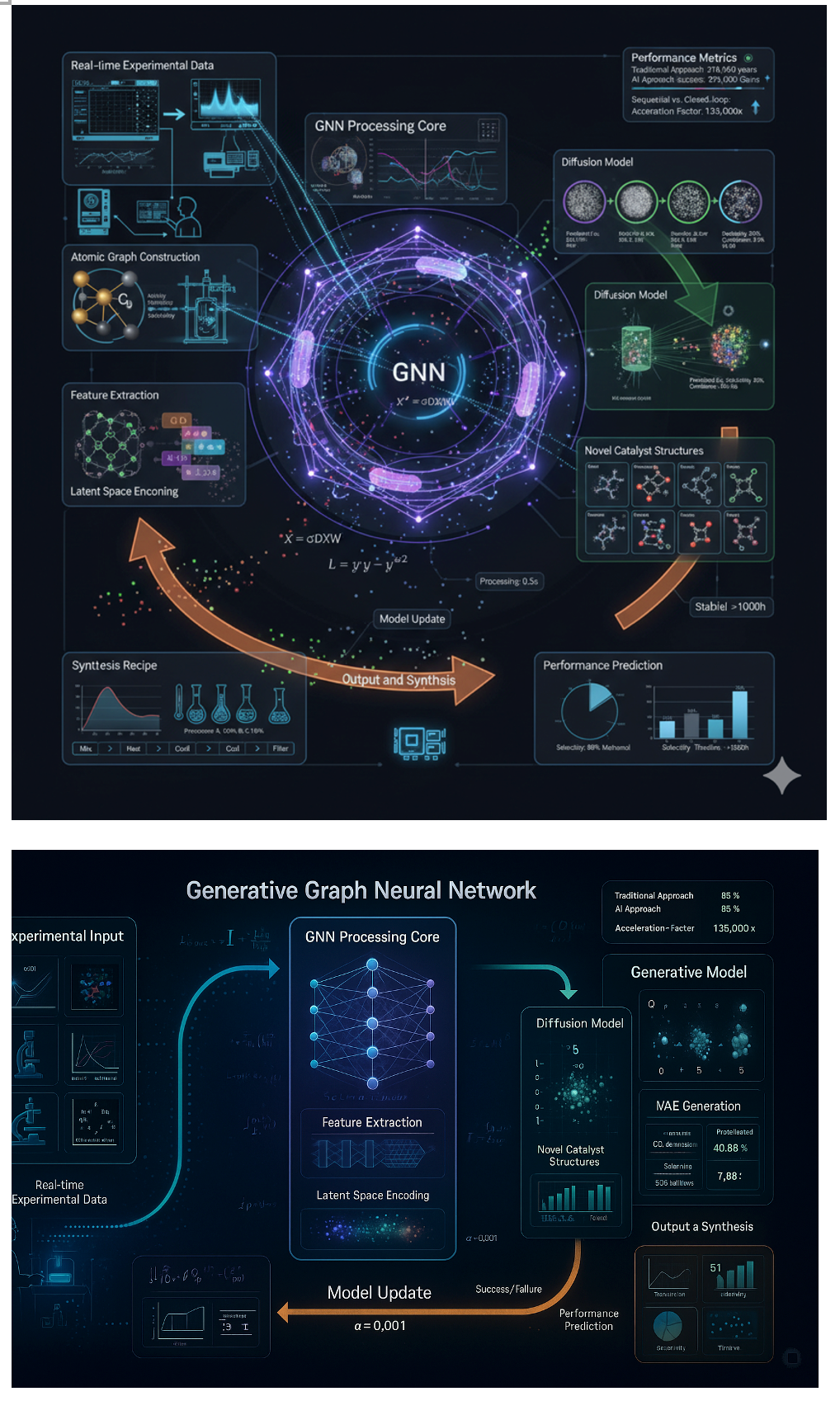
    GNN visualization

    Generative GNN pipeline visualization

    Visualize Your Science

    Blender + Prompting = Publication-Quality Figures

    Atomic Blender for 3D structure rendering

    Python scripting for batch automation

    AI prompting for creative visualization

    Make your research visually compelling.