Python 그래프 시각화
연구 논문을 위한 과학적 그래프 작성
@seokhyun choung|2026년 1월
그래프는 논문 작성의 절반 이상입니다. 좋은 그래프는 연구의 영향력을 높입니다.
- 백문이 불여일견 - 그래프는 시각적 커뮤니케이션의 핵심
- 오픈소스 문화와 함께 자동화 마인드셋 채택
- Origin/Excel: 직관적이지만 자동화 어려움, LLM 시대에 부적합
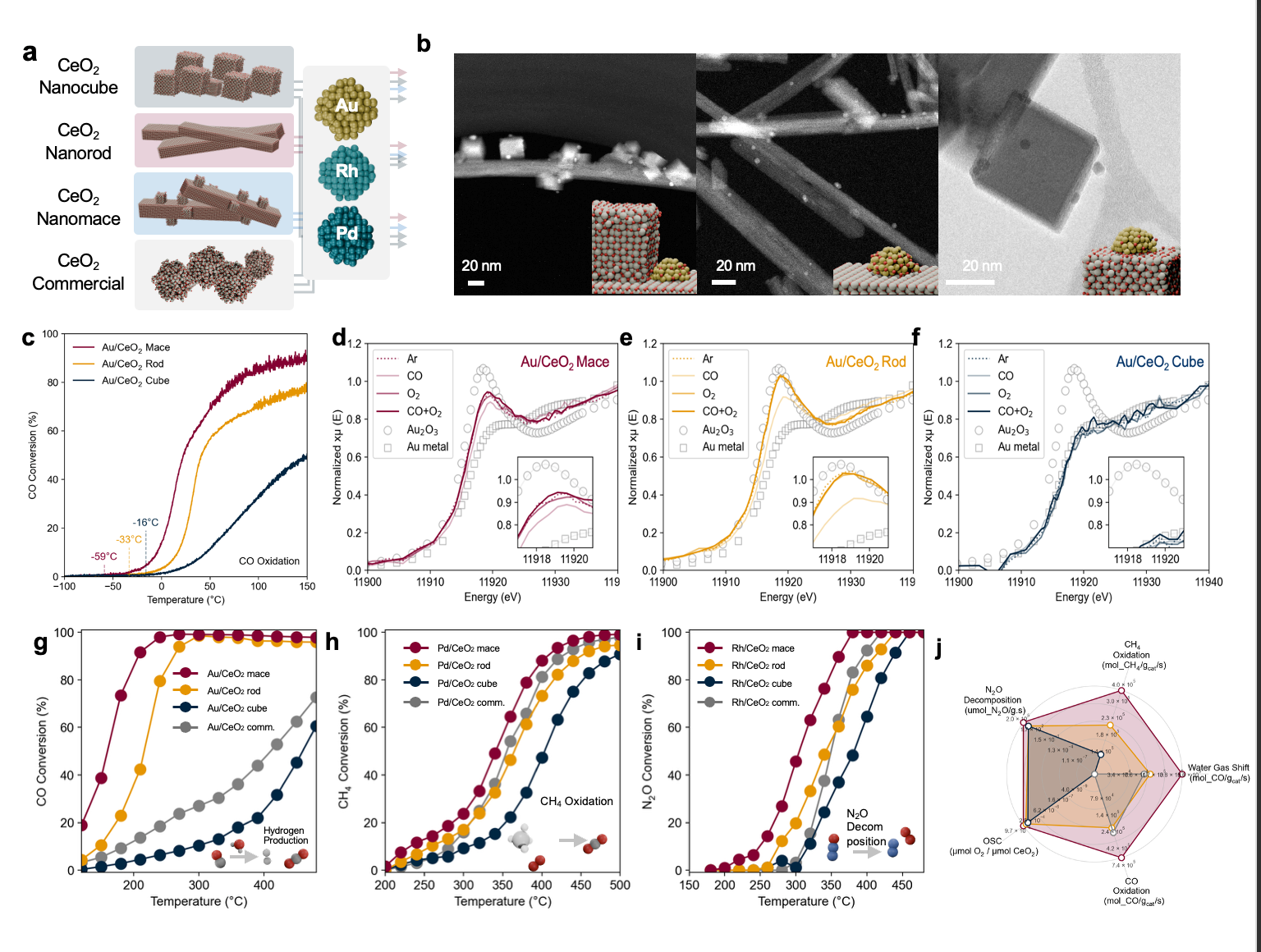
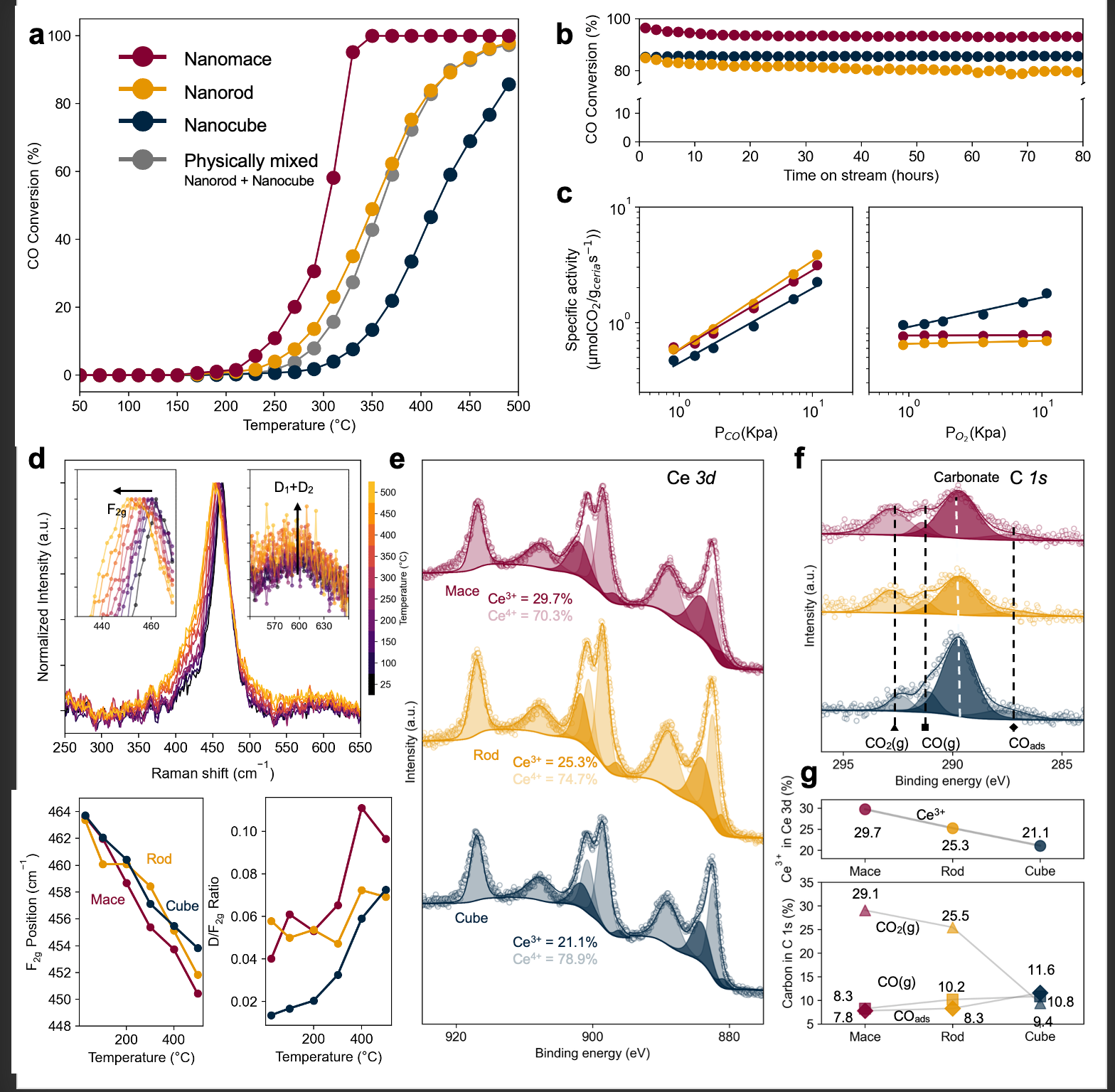
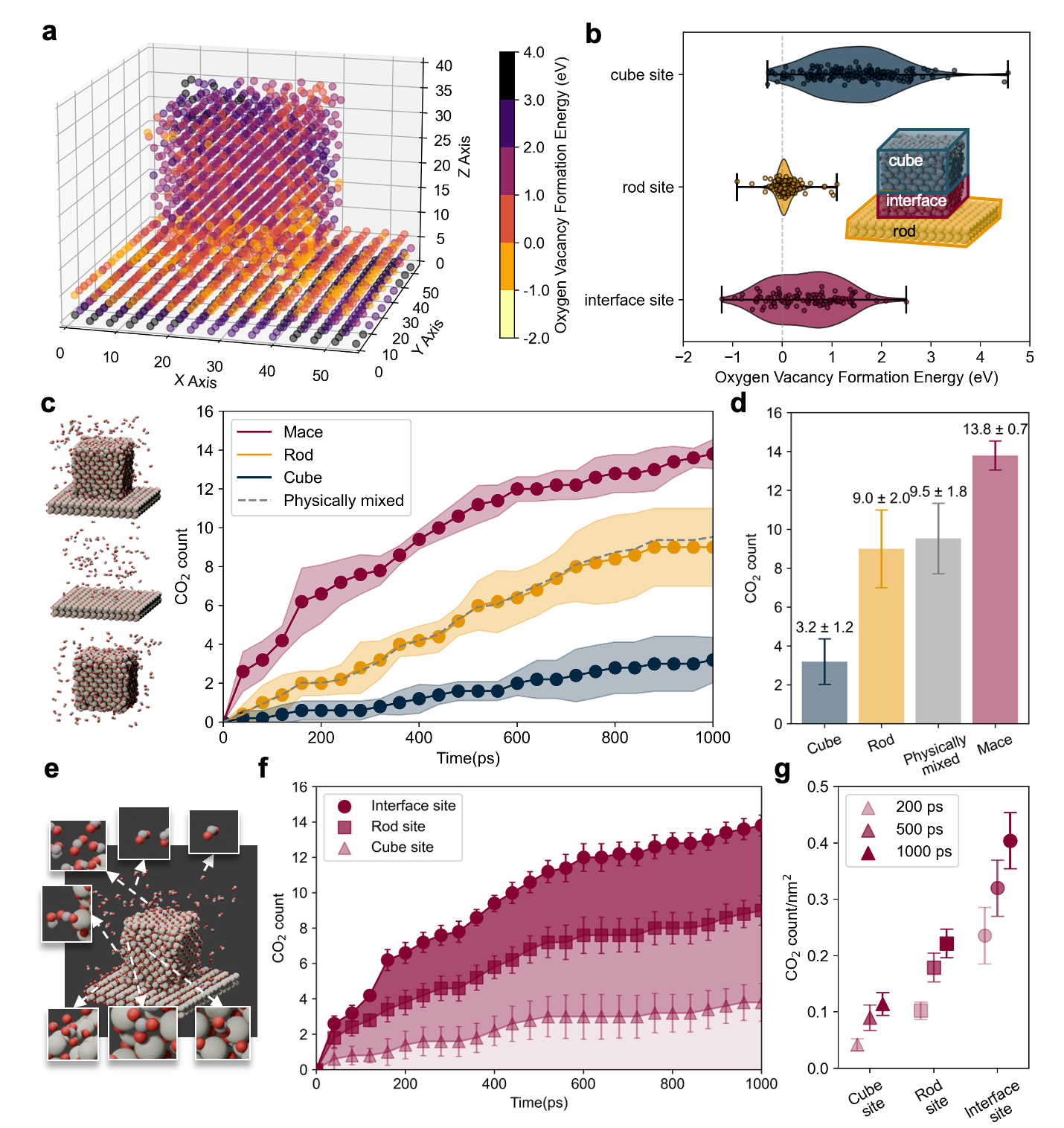
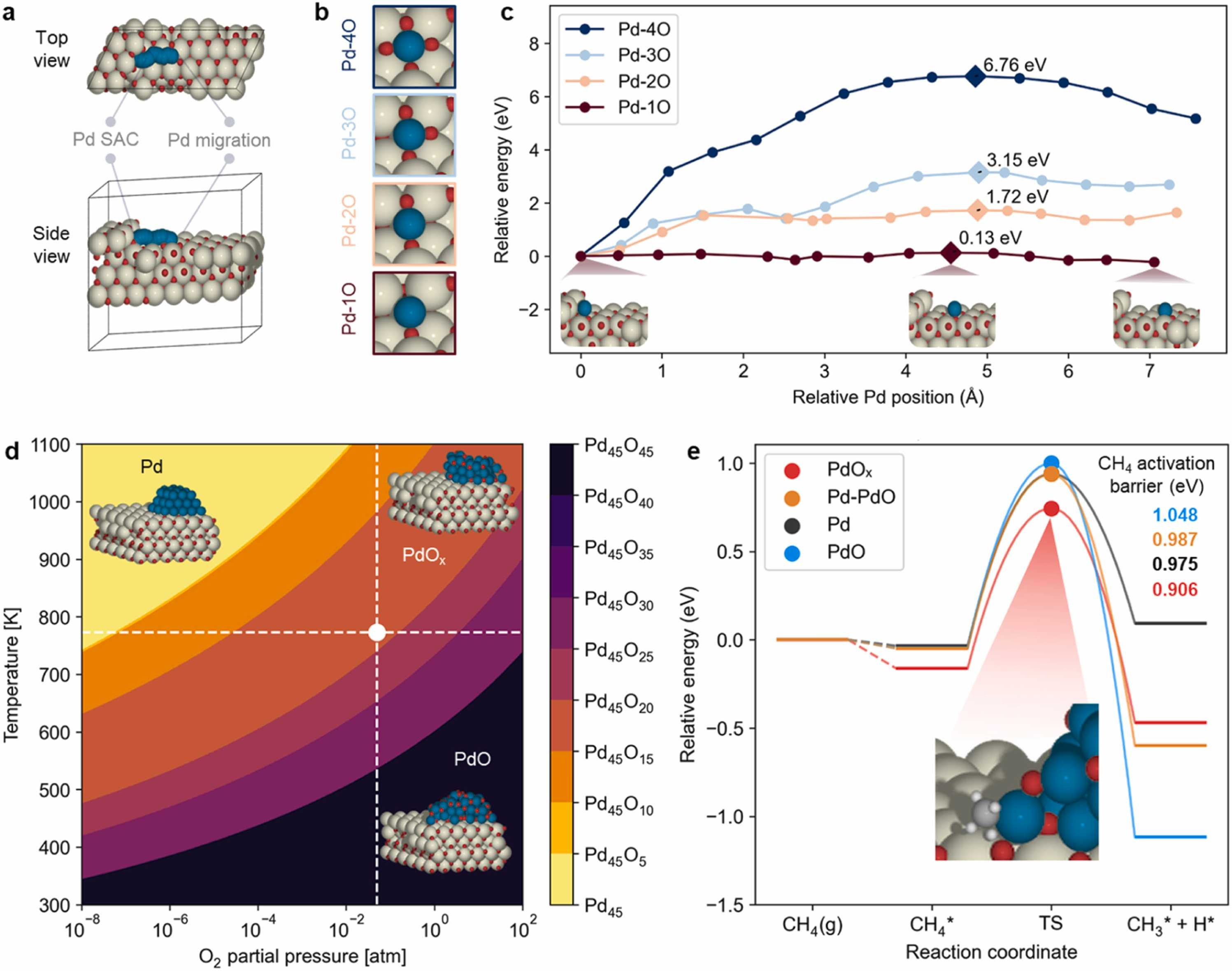
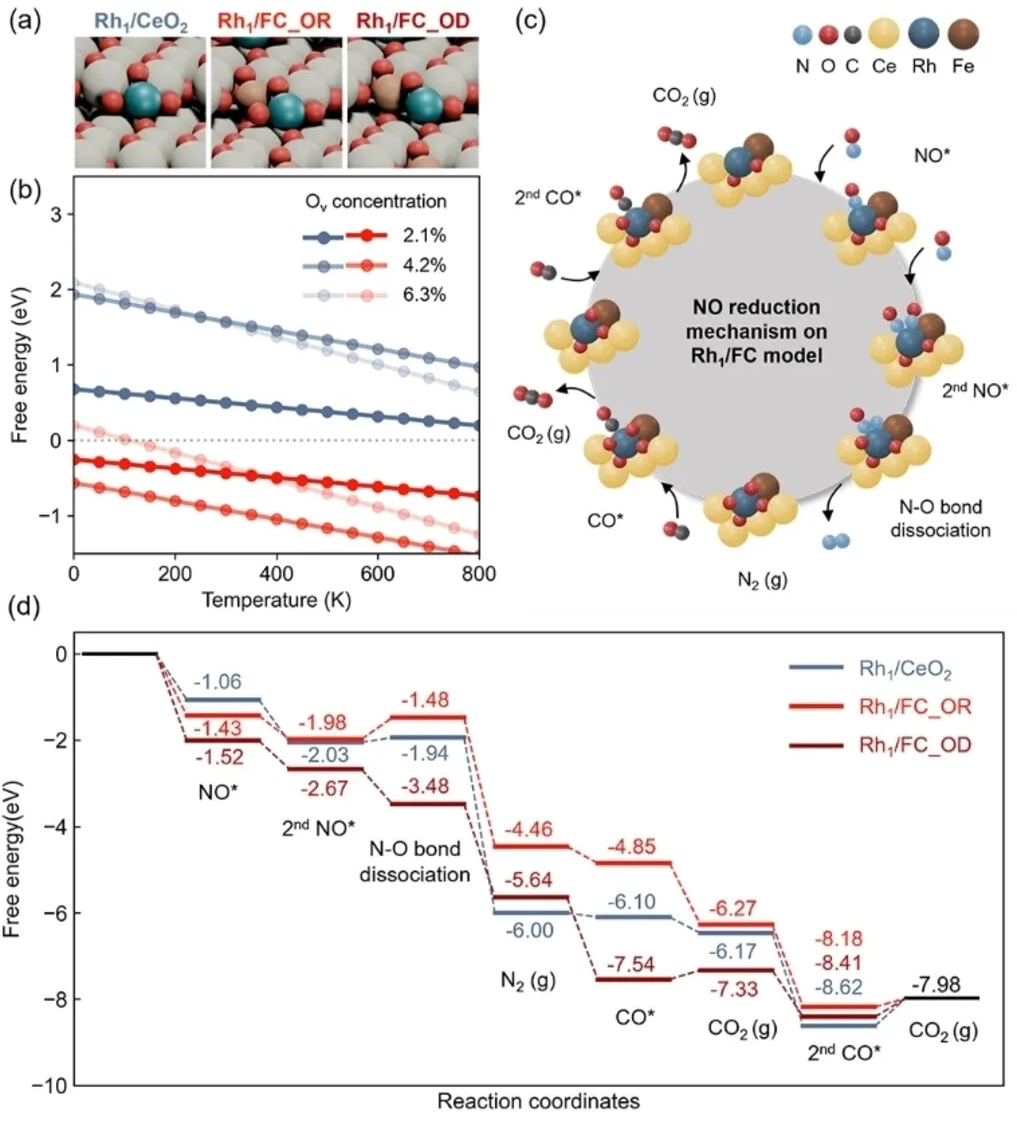
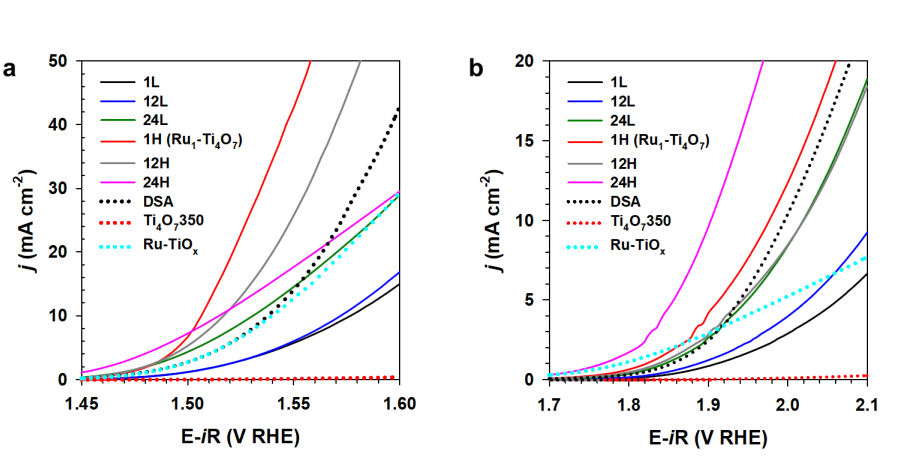
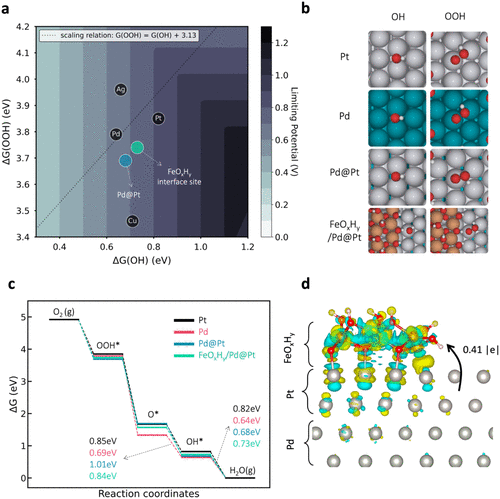
여러 데이터 유형과 시각화를 결합한 복잡한 그래프
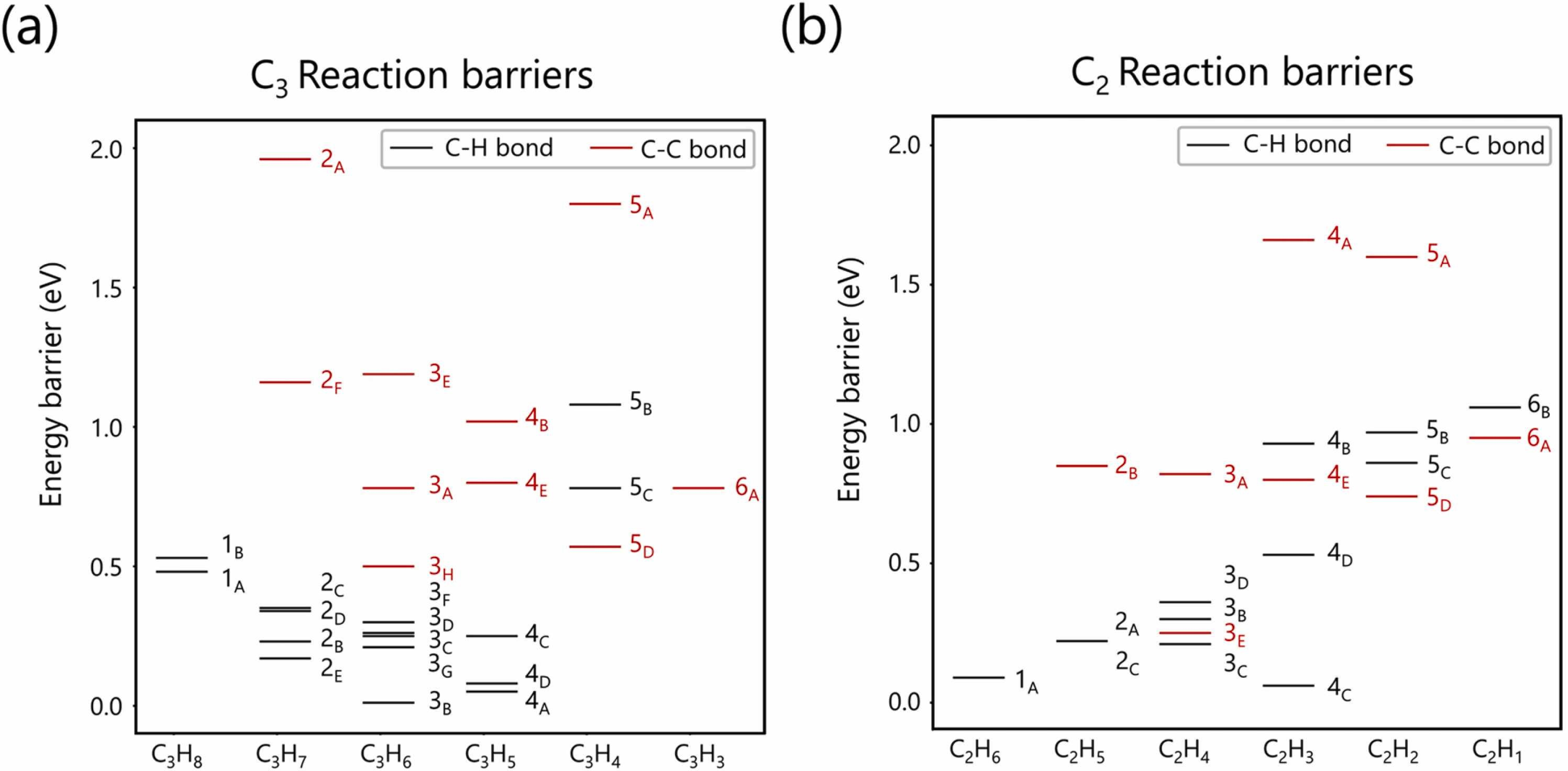
C-H/C-C 결합 끊김 장벽
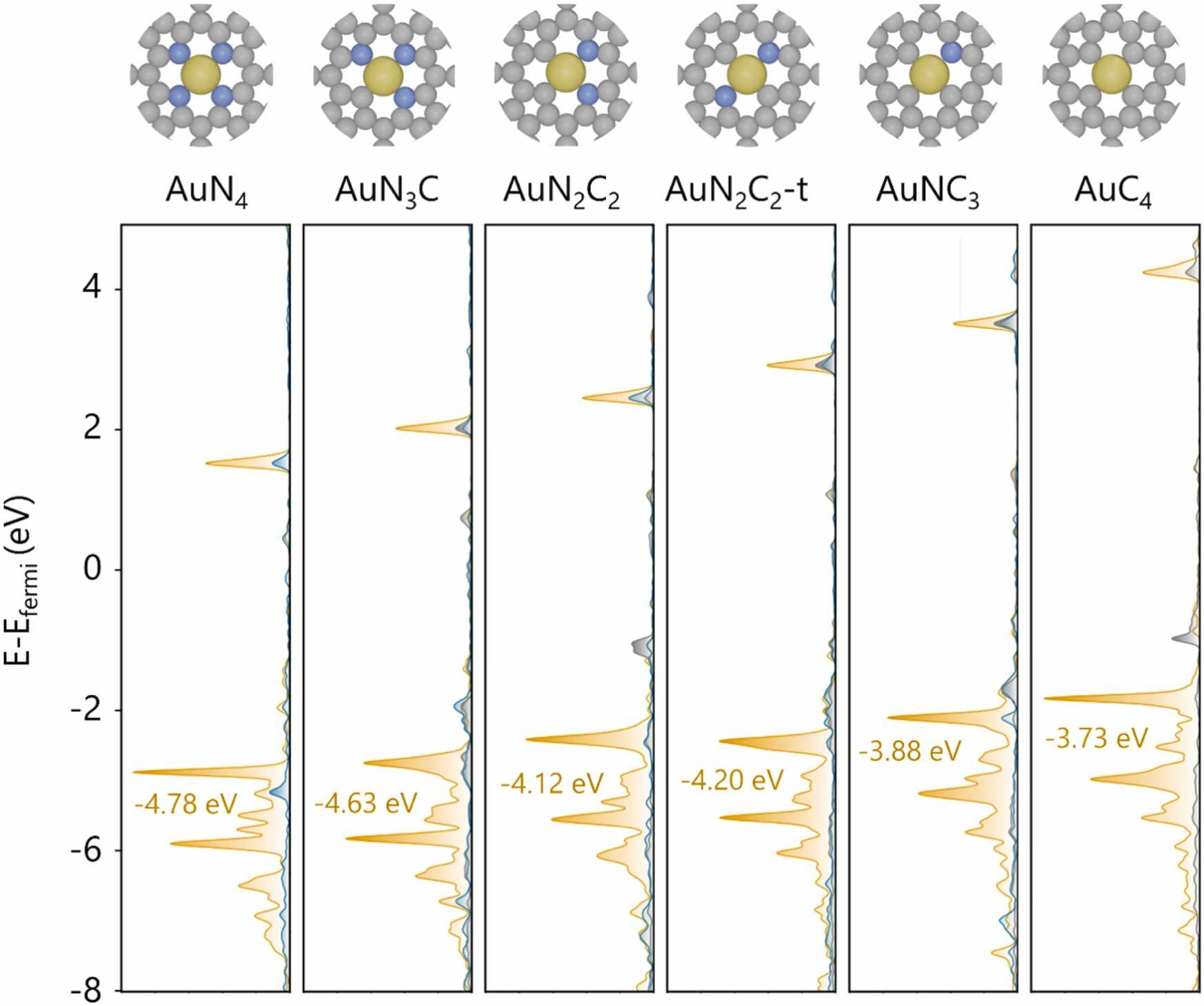
상태 밀도 (DOS)
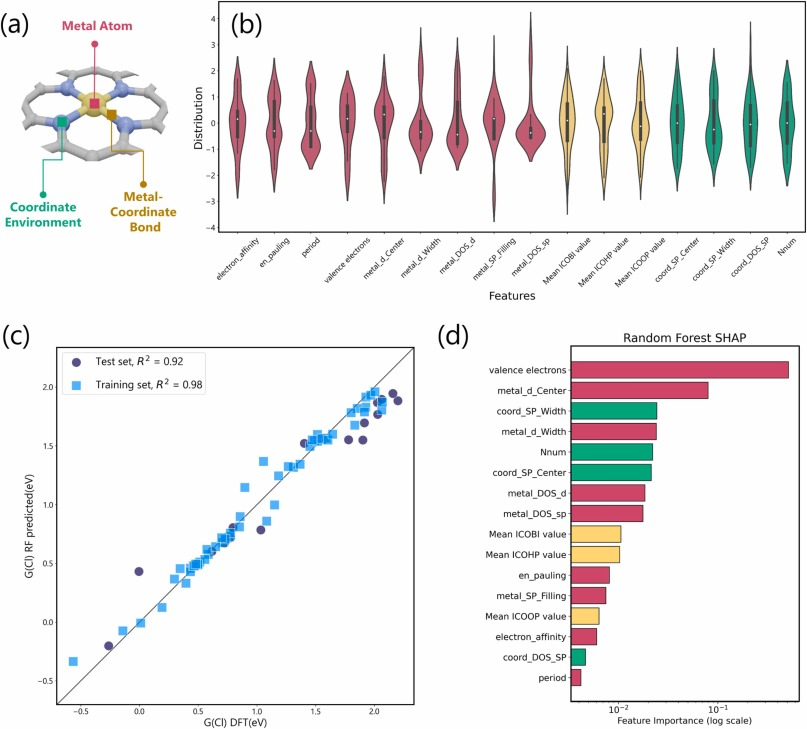
ML: 패리티 플롯 + 바이올린 + SHAP
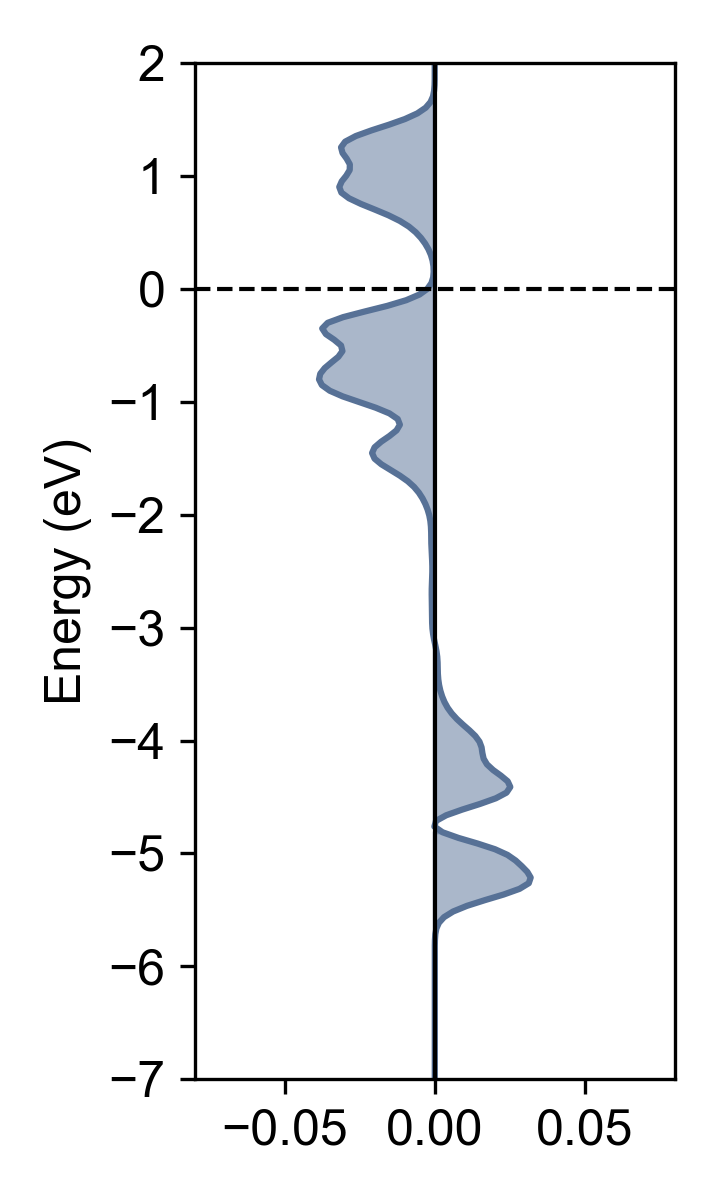
COHP 결합 분석
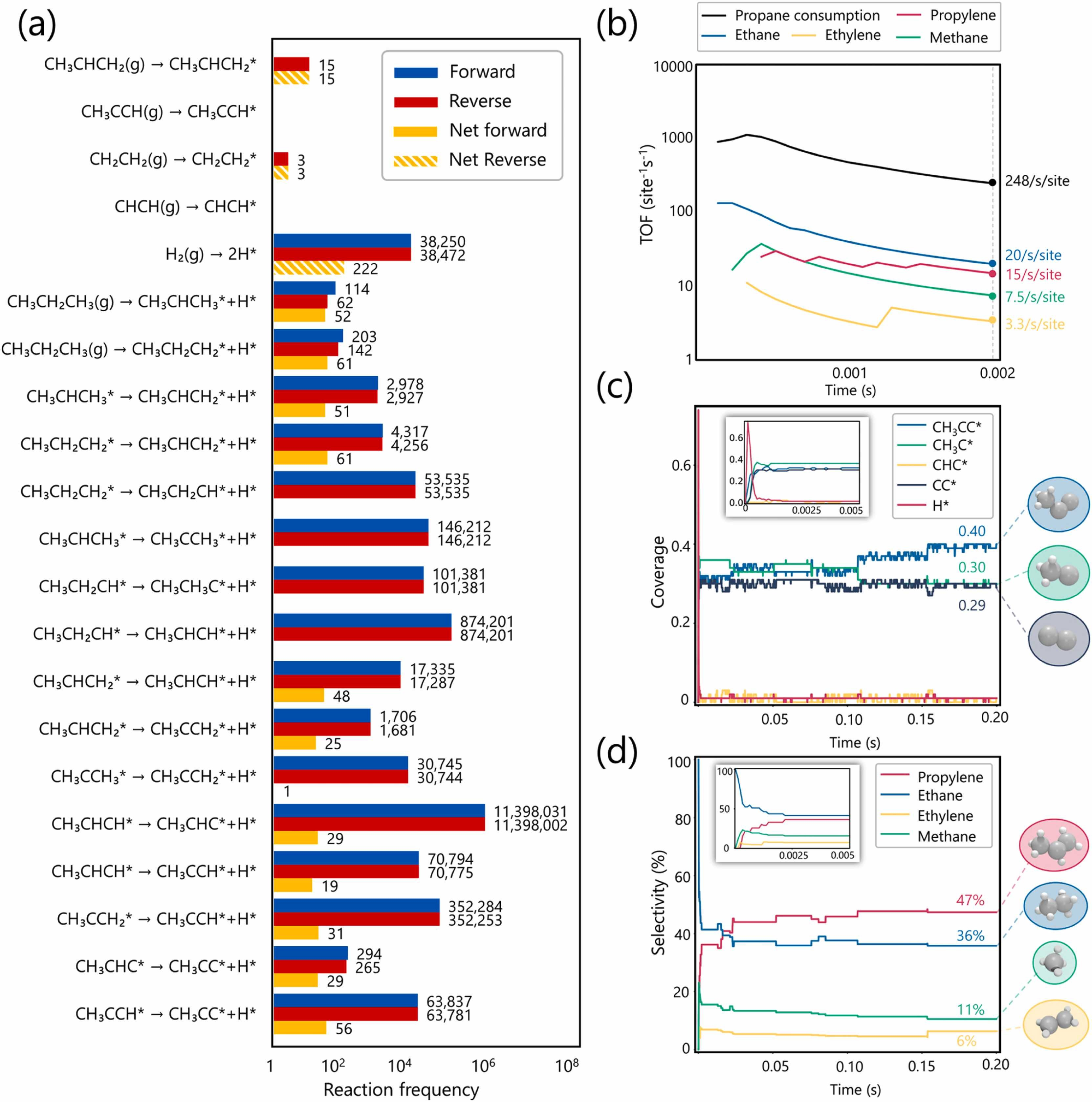
미시동역학: TOF + 피복률 + 선택성
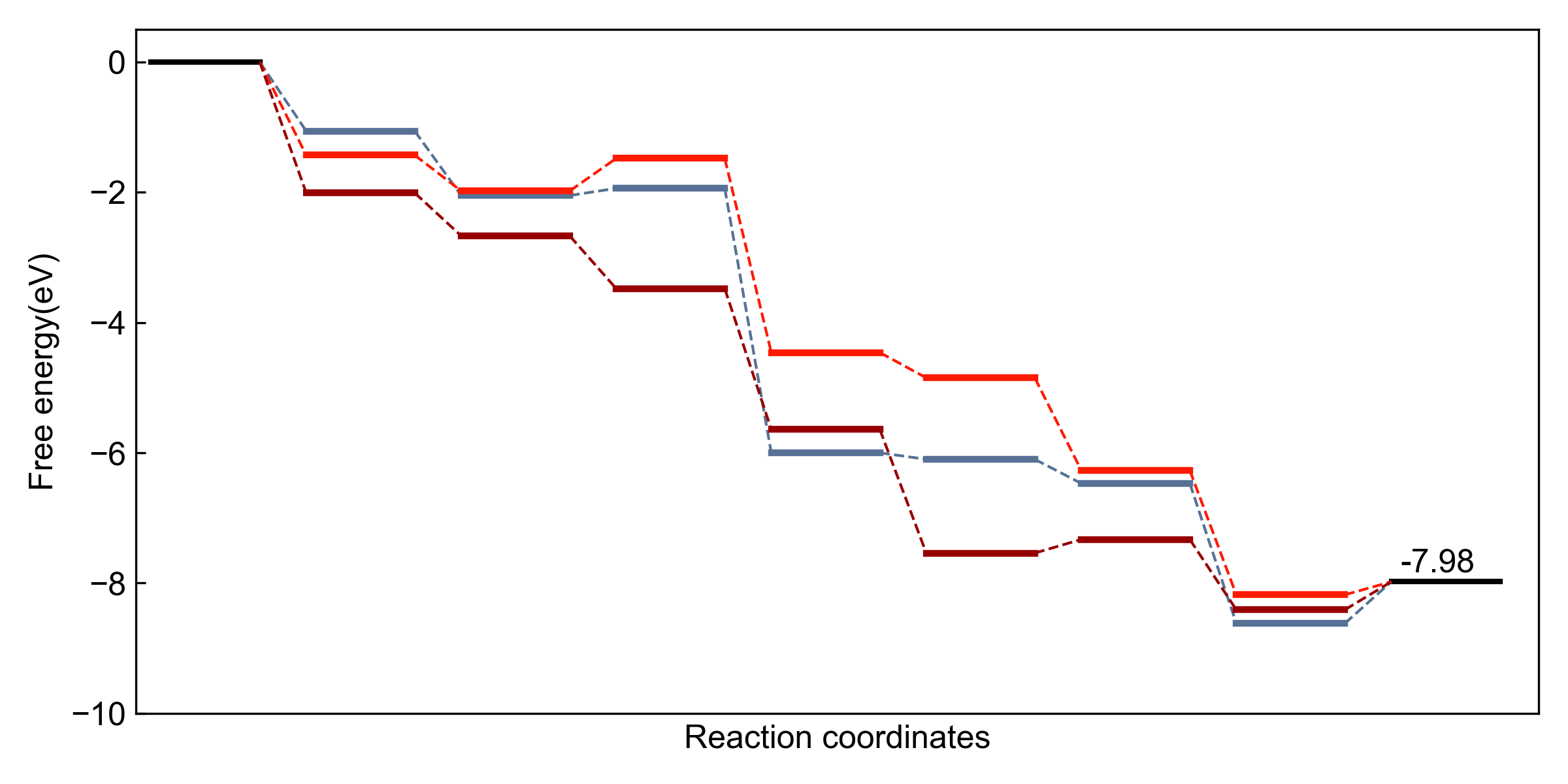
반응 좌표 다이어그램
왜 Python인가?
- 자동화: 두 번 하면 자동화하라
- LLM 시대는 완전한 자동화를 가능하게 함
- 코드 기반 = 재현 가능 & 버전 관리
- 반복 작업이 아닌 연구에 집중
좋은 그래프의 조건...
- 심미성: 색상 조화, 시각적 매력
- 명료성: 명확한 연구 메시지
- 관례: 분야 표준 준수
- 원칙: 하나의 색/모양 = 하나의 의미
->Python + LLM = 효율적이고 재현 가능하며 아름다운 그래프
2Python 기초
환경 설정, Matplotlib, 데이터 처리
Conda 설정
# 환경 생성
conda create -n mpl python=3.9
conda activate mpl

# 패키지 설치
conda install matplotlib pandas numpy
pip install ase  # 선택사항
기본 임포트
import matplotlib.pyplot as plt
import numpy as np
import pandas as pd

# 사용자 정의 폰트용
import matplotlib.font_manager as fm
fig, ax 패턴 (권장)
fig, ax = plt.subplots(figsize=(8, 6))
ax.plot(x, y, color='blue', lw=2)

# 다중 서브플롯
fig, axes = plt.subplots(2, 3)
axes[0, 0].plot(x, y)
플롯 유형
# 선 플롯
ax.plot(x, y, 'b-', label='data')

# 산점도
ax.scatter(x, y, s=50, alpha=0.7)

# 영역 채우기
ax.fill_between(x, y1, y2, alpha=0.3)
항상 fig, ax 패턴을 사용하세요. 원시 데이터는 scatter, 연속/처리된 데이터는 line을 사용합니다.
포매팅
# 레이블과 범위
ax.set_xlabel('온도 (C)')
ax.set_ylabel('전환율 (%)')
ax.set_xlim(0, 100)
ax.set_ylim(0, 100)

# 범례
ax.legend(loc='upper right')
저장
# 항상 먼저 tight_layout!
plt.tight_layout()

# 옵션과 함께 저장
plt.savefig('fig.png', dpi=300,
            bbox_inches='tight')
plt.savefig('fig.svg')  # 벡터
SVG 형식이 출판물에 가장 적합 (벡터, 확장 가능)
인쇄 품질을 위해 최소 dpi=300
XPS 축 반전: ax.set_xlim(x.max(), x.min())
NumPy 배열
# 벡터화 연산 (빠름!)
data = np.array([1, 2, 3, 4, 5])
squared = data**2  # 한 번에 모두

# 배열 생성
x = np.linspace(0, 10, 100)
x = np.arange(0, 10, 0.1)
y = np.sin(x)
Pandas로 Excel/CSV 읽기
df = pd.read_excel('data.xlsx',
                   sheet_name='Sheet1')

# 열 선택
x = df.iloc[:, 0]  # 위치로
y = df['col_name']  # 이름으로

# 데이터 정리
df = df.dropna()  # NaN 제거
.values를 사용하여 pandas Series를 플로팅용 numpy 배열로 변환하세요.
# 일관된 그래프를 위한 시스템 프롬프트
fs = 12  # 폰트 크기
font_props = fm.FontProperties(family='Arial', size=fs)
colors = ['#77AEB3', '#E5885D', '#C7C4B5', '#A1C2DE', '#B4944B']
os.makedirs('./output', exist_ok=True)
def format_axis(ax, xlabel, ylabel):
    ax.set_xlabel(xlabel, fontproperties=font_props)
    ax.set_ylabel(ylabel, fontproperties=font_props)

def save_plot(filename):
    plt.tight_layout()
    plt.savefig(f'./output/{filename}', dpi=300, bbox_inches='tight')

# 완성 예제
x = np.linspace(0, 10, 100)
fig, ax = plt.subplots(figsize=(8, 6))
ax.plot(x, np.sin(x), 'b-', lw=2, label='sin(x)')
ax.plot(x, np.cos(x), 'r--', lw=2, label='cos(x)')
ax.fill_between(x, np.sin(x), np.cos(x), where=(np.sin(x)>np.cos(x)), alpha=0.3)
format_axis(ax, 'X 값', 'Y 값')
ax.legend()
save_plot('trig.svg')
1fig, ax 패턴 사용
2단위와 함께 레이블 설정
3저장 전 tight_layout()
4bbox_inches='tight'
5레이어에 alpha 사용
6출판물에는 SVG
1NumPy + Pandas
속도를 위한 배열, Excel/CSV용 DataFrame
2Matplotlib
fig/ax 패턴, 일관된 스타일링, 올바른 저장
3LLM 도구
미세 조정에 Cursor, 자동화에 Claude Code
아름다운 그래프는 이야기를 전합니다
자동화, 반복, 완성
좋은 그래프는 연습이 필요합니다
자동화는 창의성을 위한 시간을 절약합니다
LLM은 당신의 코딩 파트너입니다
계속 코딩하세요. 계속 시각화하세요. 계속 출판하세요.